
How It Works
From a pile of unique-item photos to live eBay listings — the workflow built for sellers of one-of-a-kind inventory. Every eBay seller lists faster; collectibles sellers get the most.
Listing creation workflow
Take a look around the app
Real screenshots of each stage, in the order you'd actually use them.
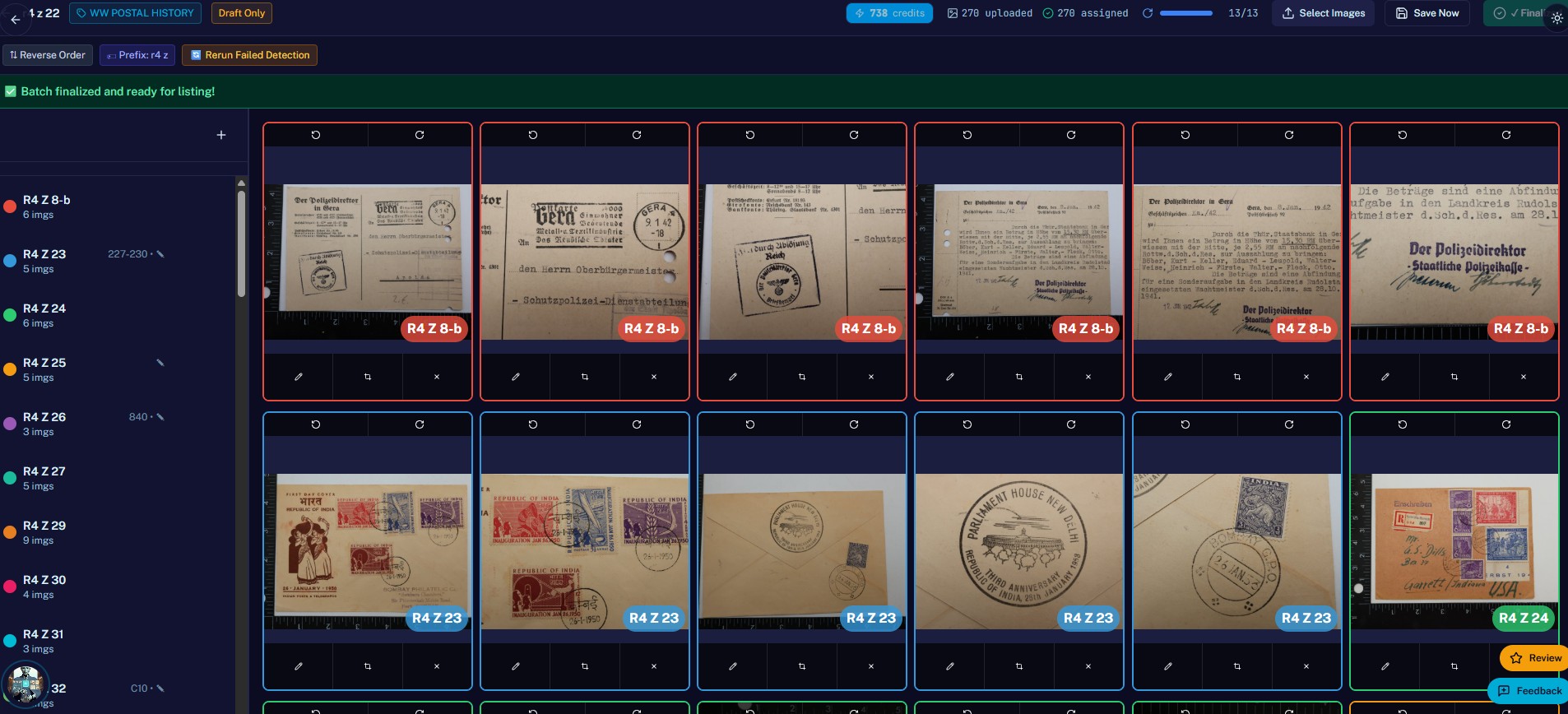
Upload hundreds of photos into a session, let the Grouper auto-split them into individual items (or use marker cards), review, and finalize — all 270 images assigned and ready to list.
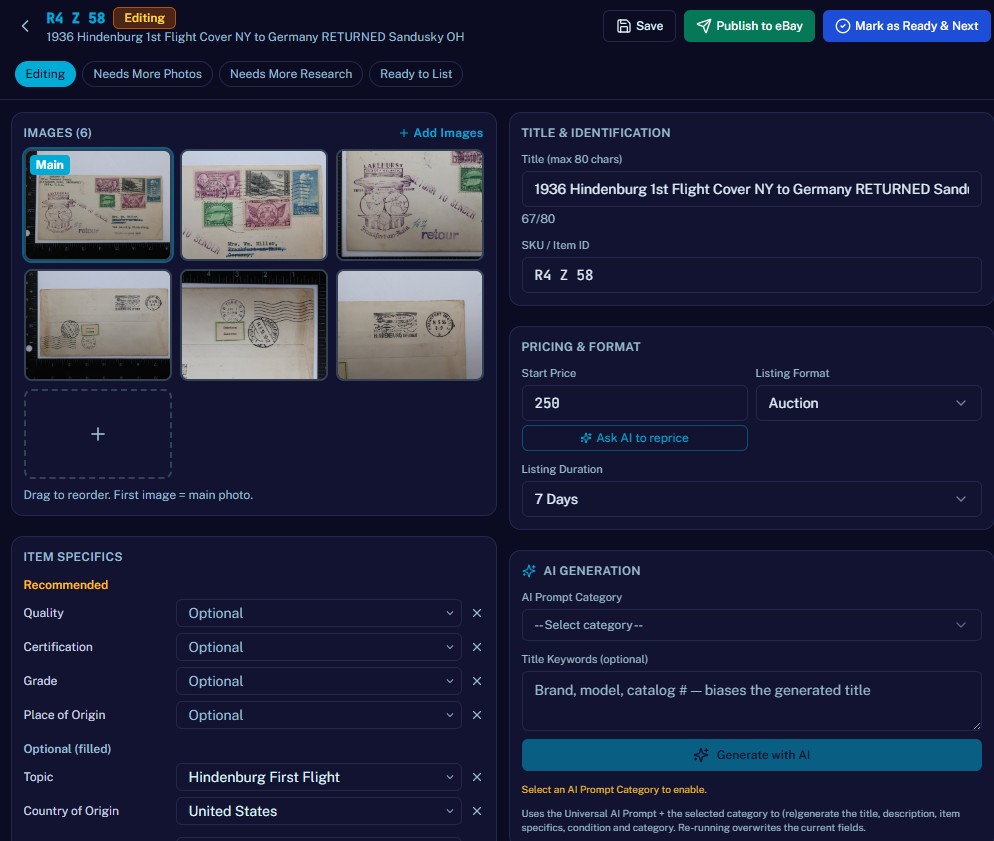
Each item opens as a draft — title with a live 80-char counter, start price, listing format & duration, item specifics, and a reorderable image grid with a "Main" badge. One click re-runs the AI.
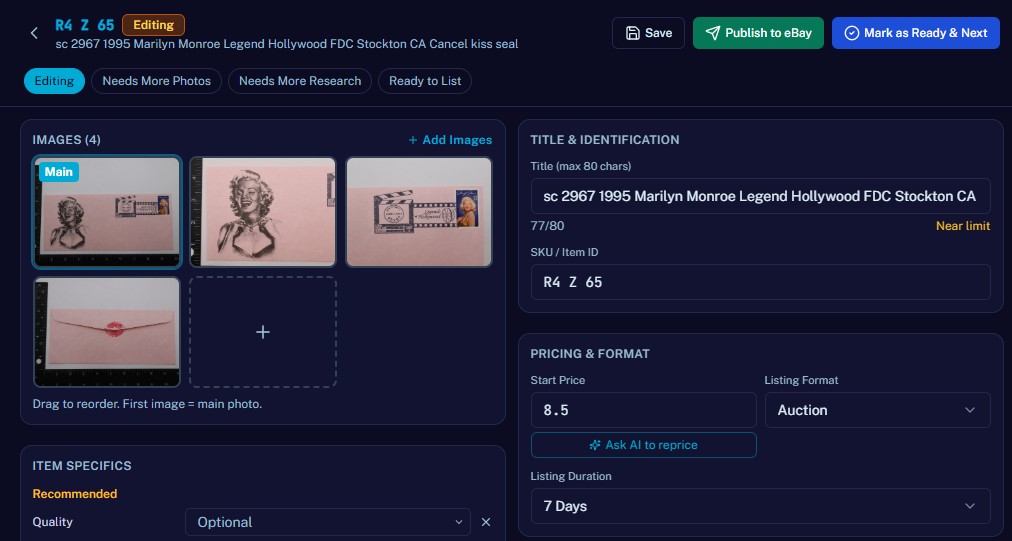
Per-category required and recommended item specifics surface automatically, with filled values marked and optional ones available — so every listing meets eBay compliance before it ever publishes.
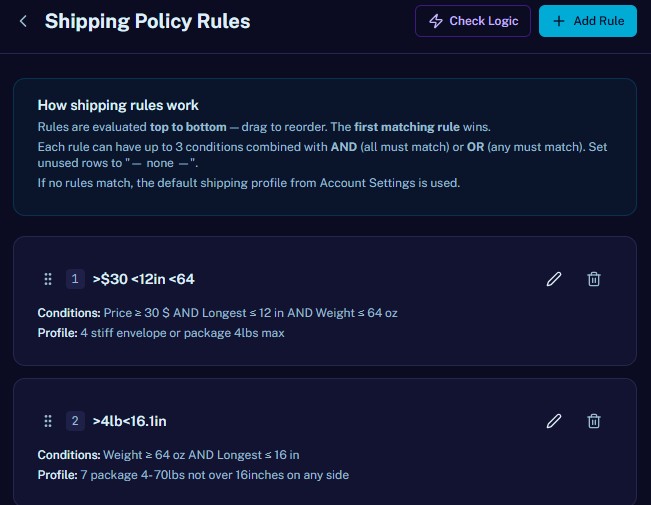
Drag-to-reorder rules evaluated top-to-bottom; the first match wins. Combine up to three conditions with AND/OR, and fall back to your default profile when nothing matches.
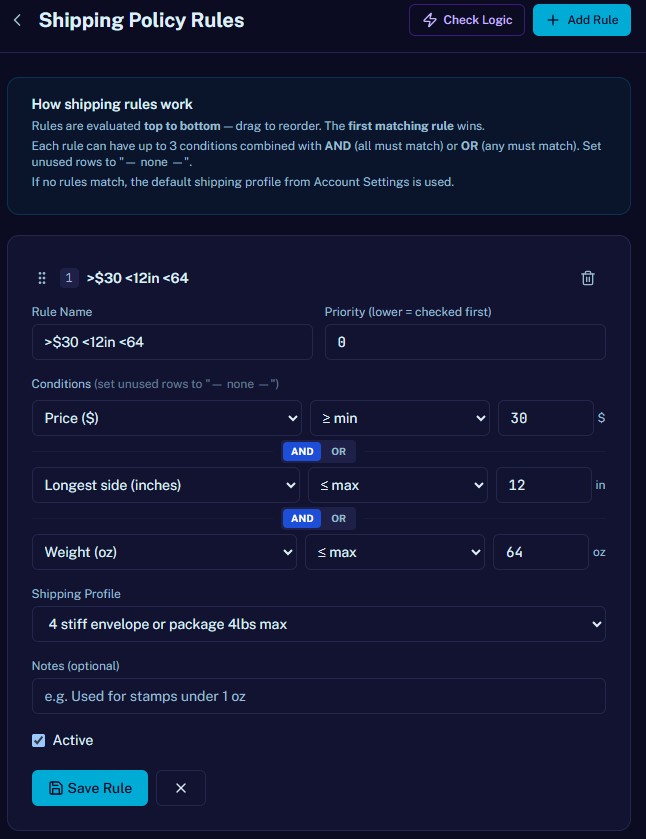
Each rule reads price, longest side, and weight against min/max thresholds, then assigns the shipping profile to use — e.g. ">$30, <12in, <64oz" sends the item to a stiff envelope.
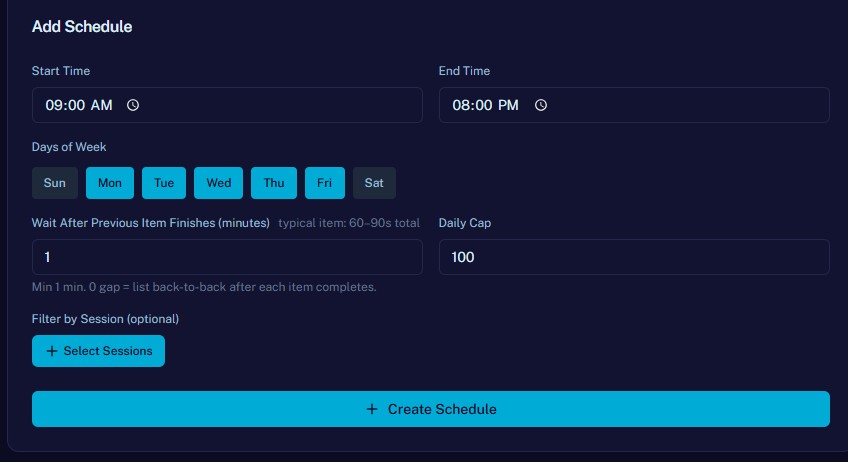
Set a start/end time, pick days of the week, choose the gap after each item completes, cap daily volume, and optionally filter to specific sessions — then let it list back-to-back automatically.
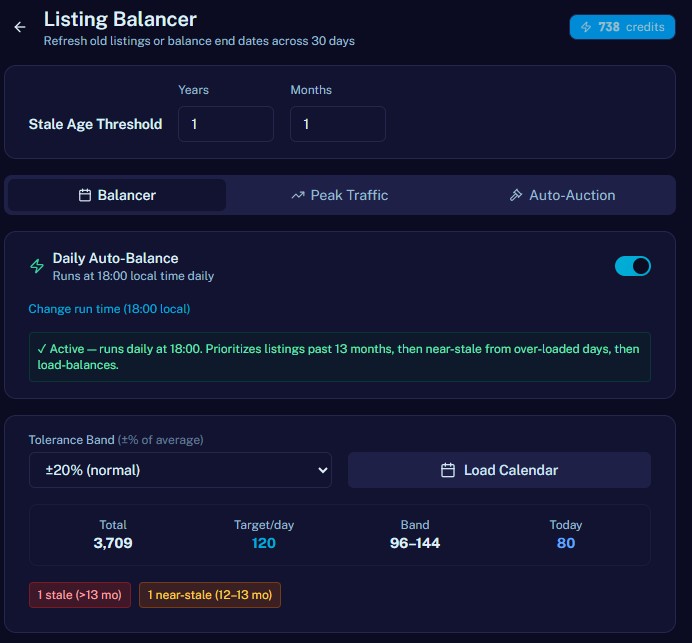
The daily balancer reprioritizes listings past 13 months, then near-stale items pulled from over-loaded days, then load-balances end dates across a ±20% tolerance band — configurable auto-run time.
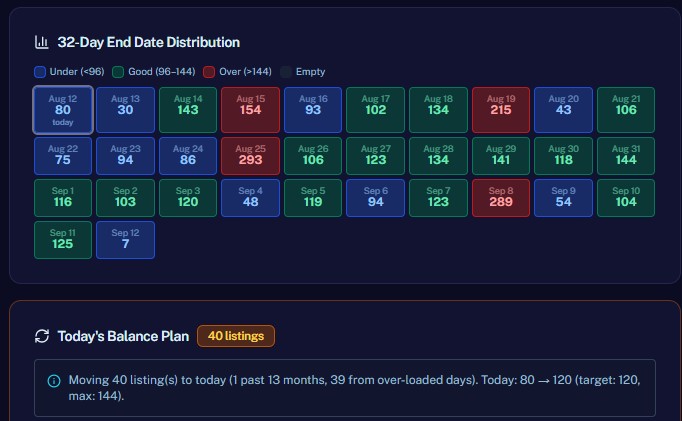
A color-coded grid flags days that are under, good, over, or empty, plus today's concrete balance plan — "40 listings moved to today to hit the 120/day target."
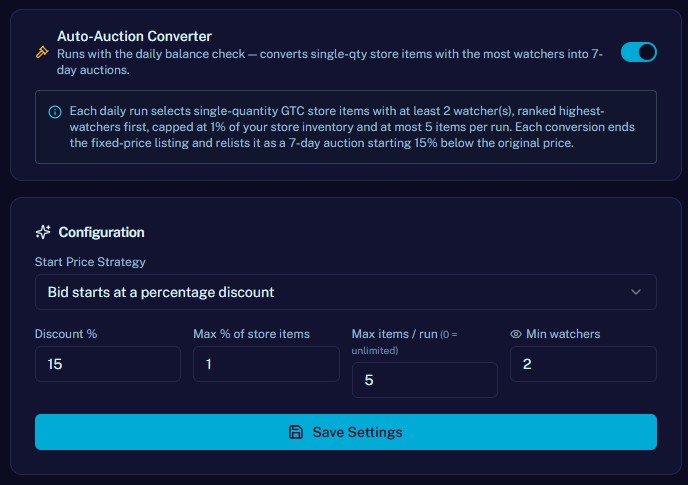
With the daily balance check: convert single-quantity store items with the most watchers into 7-day auctions — set the discount, percentage-of-store cap, items-per-run, and minimum watchers.
A catalog of prebuilt prompts
Every niche ships with a curated AI prompt — domain knowledge plus per-output instructions — so you start with expert quality, not a blank box.
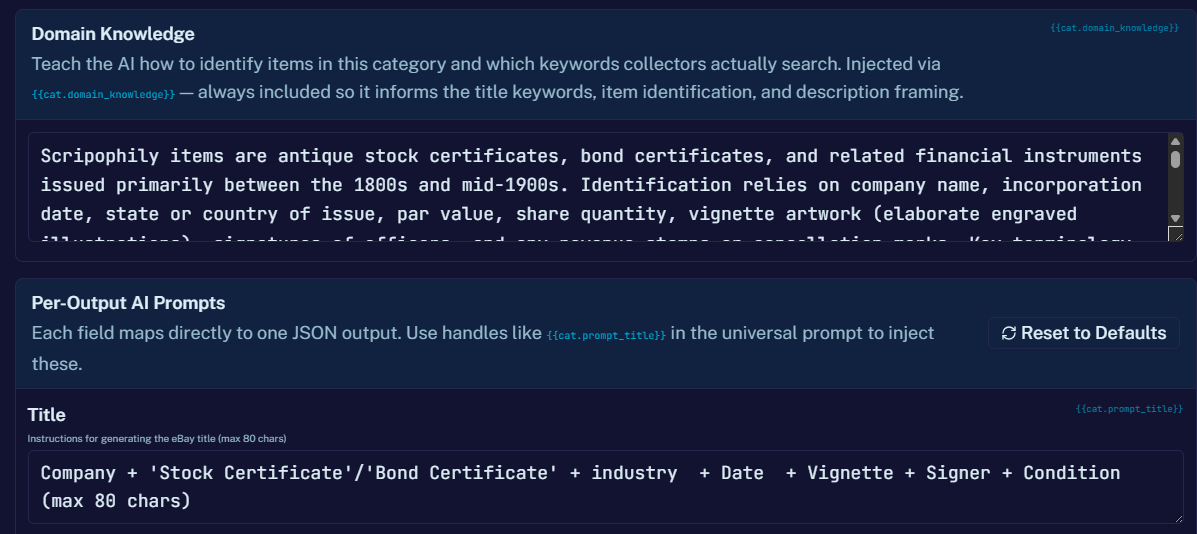
Domain Knowledge
Teaches the AI how to recognize items in a niche and the keywords buyers actually search — injected through the {{cat.domain_knowledge}} handle so it shapes title keywords, item identification, and description framing. One preset per niche (stamps, coins, postcards, ephemera, and dozens more), authored by collectors and editable by you.
Per-Output AI Prompts
Each output field (title, category, condition, specifics, description, price) maps to its own prompt and its own handle. The universal prompt stitches them together, so a single preset controls every part of the listing without you rewriting the whole template.
Handles that map to real outputs
{{cat.domain_knowledge}}Always injected — how to identify items in this category and which keywords collectors search.{{cat.prompt_title}}eBay title format, max 80 chars.{{cat.prompt_category}}Which eBay leaf category to list into.{{cat.prompt_condition_desc}}How to grade and describe condition.{{cat.prompt_item_specifics}}Which aspects to fill and how.{{cat.prompt_description}}HTML description structure and tone.{{cat.prompt_price}}Pricing strategy and floor enforcement.Set up before your first listing
Free 100 credits auto-grant on signup — no manual claim.